The eight styles
Outline, Solid, Duotone, Sharp, Thin, Pixel, Doodle and Sticker: what each looks like and when to use it.
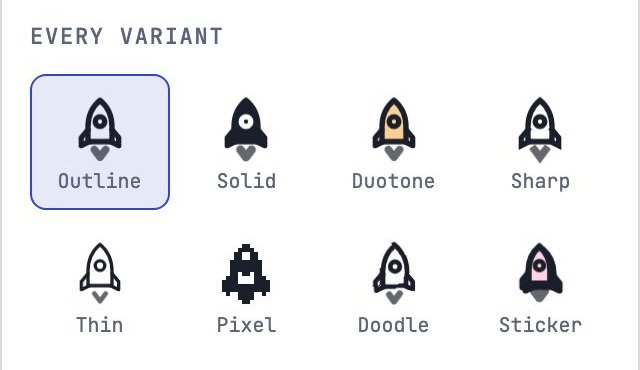
Every icon is drawn once and comes in eight styles. In the Studio, Every variant in the inspector shows the icon you’re editing in all eight, plus a row at 16, 24, 32 and 48 pixels. Click a style to show it on the board.
| Style | Looks like | Good for |
|---|---|---|
| Outline | 2px rounded strokes | Interfaces, the default |
| Solid | Filled shapes with cut-out details | Small sizes, selected states, tab bars |
| Duotone | Outline over a second-tone fill | Feature lists, marketing pages |
| Sharp | Square ends and mitered corners | Technical and editorial looks |
| Thin | 1.25px hairlines | Large display sizes |
| Pixel | A 16 × 16 bitmap | Retro and game UIs |
| Doodle | A hand-drawn wobble | Friendly, informal pages |
| Sticker | Fat outline, color fill and a drop shadow | Playful accents, empty states |
How a style is decided
Each shape in an icon has a role, and the style decides how each role is drawn. A body is filled in Solid and tinted in Duotone; a line is always a stroke. You choose roles in the inspector; see Edit shapes and points.